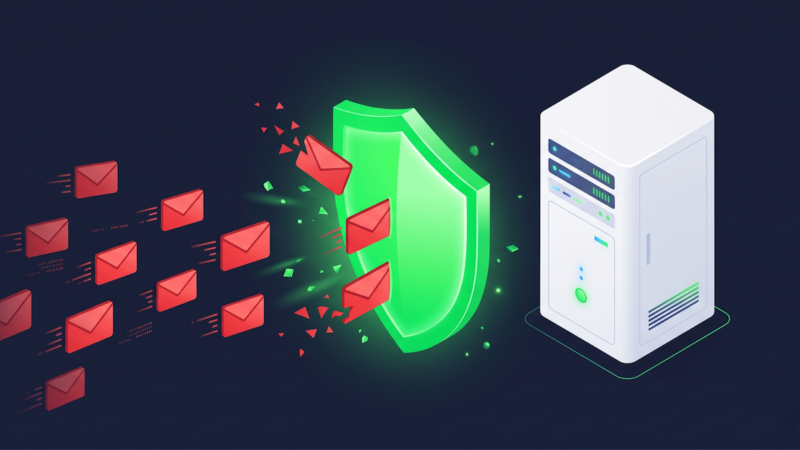
Back in 2021, we published a post on the old WordPress site about training SpamAssassin to fight spam. The cron commands in that post still work. The underlying approach still works. But the cPanel interface has changed, SquirrelMail is long gone, and the spam landscape has shifted enough that a fresh look is overdue.
This is that fresh look — updated for how things actually work in 2026, starting with the free tools you already have, and honest about where those tools hit their ceiling.
What SpamAssassin Actually Does
SpamAssassin is an open-source spam filter that’s been part of cPanel for years. It analyzes incoming email against a large set of rules — header patterns, known spam phrases, sender reputation, message structure — and assigns each message a score. Messages that score above a threshold get flagged as spam and routed to your Spam folder instead of your inbox.
Out of the box, it works reasonably well. But “reasonably well” isn’t the same as “well-tuned.” The difference between a SpamAssassin installation left at defaults and one that’s been properly configured and trained is significant. The defaults are conservative — designed to avoid false positives — which means they let through a lot of spam that a trained filter would catch.
Training is the key word. SpamAssassin includes a command-line tool called sa-learn that teaches the filter from your actual mail: here’s what good mail looks like, here’s what spam looks like. The more it learns from your real inbox, the more accurate it gets. Setting up automated training via cron is the difference between a filter that’s perpetually guessing and one that’s building a model specific to your mail patterns.
SpamAssassin vs SpamExperts — where each one filters your mail
Scores mail after it arrives
Learns from your mailbox over time
✕
Intercepts before reaching your server
Real-time global pattern database
Catches new campaigns immediately
Step One: Enable the Spam Box
Before any training can happen, you need somewhere for spam to go. Log into cPanel and find Apache SpamAssassin under the Email section. If the Spam Box is disabled, enable it. This creates a dedicated .spam folder on your mail server that SpamAssassin routes flagged messages into.
Once it’s created, subscribe to it in Roundcube so it shows up in your mail client:
- Log into Roundcube via the Webmail link in cPanel.
- Click the Settings gear icon in the top-right corner.
- Choose Folders from the left-hand menu.
- Find Spam in the folder list and check the box to subscribe to it.
The folder will now appear in Roundcube and in any desktop or mobile mail client connected via IMAP. Messages SpamAssassin flags land here instead of your inbox — and that folder becomes your training data.
Step Two: Set Up the Training Cron Jobs
In cPanel, navigate to Cron Jobs under the Advanced section. You’re going to add two jobs — one that teaches SpamAssassin what good mail looks like (ham), and one that teaches it what spam looks like. Run them both twice a day.
Set the frequency to every 12 hours: minute 0, hour 0,12, day/month/weekday all *.
Ham scan — teach it what good mail looks like
sa-learn -p ~/.spamassassin/user_prefs --ham ~/mail/*/*/{cur,new}Spam scan — teach it what bad mail looks like
sa-learn -p ~/.spamassassin/user_prefs --spam ~/mail/*/*/.spam/{cur,new}These commands scan all domains and all accounts under your cPanel in a single pass — the * wildcards cover everything. To target a specific domain or mailbox, replace the wildcards with exact paths:
# Ham scan for a specific account
sa-learn -p ~/.spamassassin/user_prefs --ham ~/mail/yourdomain.com/username/{cur,new}

# Spam scan for a specific account
sa-learn -p ~/.spamassassin/user_prefs --spam ~/mail/yourdomain.com/username/.spam/{cur,new}
By default, cPanel emails you the output of each cron job every time it runs. To silence that, append >/dev/null 2>&1 to the end of each command. In the first week or two, the output is worth seeing so you can confirm training is actually happening.
What to expect: SpamAssassin needs a corpus of messages to learn from before training makes a meaningful difference. If your inbox has been active for a while, the first few runs will process a large batch and improvement will be noticeable quickly — sometimes within a day or two. The filter gets better with every pass, as long as spam is landing in the Spam folder and not being moved elsewhere before the cron job runs.
Tuning the Score Threshold
SpamAssassin’s default threshold is a score of 5 — messages that score 5 or above get flagged. That’s conservative. Lowering it catches more spam but risks more false positives. Raising it reduces false positives but lets more spam through.
In cPanel’s SpamAssassin interface you can adjust the required score without touching any config files. A threshold of 4 is a reasonable starting point for most accounts. If you’re seeing legitimate mail in your Spam folder, raise it. If you’re still getting significant spam in your inbox after a week of training, lower it incrementally.
The Ceiling: What SpamAssassin Can’t Do
SpamAssassin is a rule-based, locally-trained filter. That’s its strength — it learns your specific mail patterns — and it’s also its fundamental limitation. It can only learn from mail it’s already seen. When a new spam campaign starts circulating, using a fresh domain and a message format it hasn’t encountered before, the filter doesn’t know it’s spam until it’s already in your inbox. Only then does the next training pass pick it up.
For most people, that lag is manageable. New spam campaigns get trained out within a day or two, and the volume of novel spam hitting any individual account is relatively low. But if your domain is on a harvested list, or you’re running a business with a high-visibility contact address, or you’ve been hammered by a persistent campaign that keeps changing its patterns — that lag stops being manageable.
When to Add SpamExperts
SpamExperts is cloud-based spam filtering we offer as an add-on for $2.99/month per domain. The key architectural difference from SpamAssassin is where it sits: SpamExperts filters your mail at the MX level — meaning it intercepts incoming messages before they ever reach your server at all. Spam doesn’t land in a folder on your server and wait to be trained on. It gets rejected upstream, by a filter drawing on pattern data from millions of domains in real time.
SpamAssassin knows what spam looked like yesterday. SpamExperts knows what spam looks like right now, across a global network. New campaigns get caught faster because the detection isn’t dependent on your personal training corpus.
Outgoing filtering — the one people overlook
If a cPanel account gets compromised — a weak password, a vulnerable script, a phishing login — it can start sending spam outbound. Other mail servers notice, report it, and your sending IP ends up on a blacklist. When that happens, legitimate mail you send stops being delivered. Outgoing filtering through SpamExperts monitors your outbound mail and catches this before it becomes a blacklisting problem. Also $2.99/month per domain, and genuinely worth it for any business that depends on email.
Email archiving
SpamExperts also offers email archiving — every message in and out stored in a searchable archive. This matters for businesses in regulated industries, legal contexts where email retention is a requirement, or anyone who’s ever had “we never received that” turn into a dispute. For most small business accounts it’s not necessary, but it’s there.
The short version: SpamAssassin is free, already installed, and worth configuring properly — most accounts are running it at defaults and leaving real filtering capability on the table. The two cron jobs above, set to run twice a day, will make a noticeable difference within a week. If you tune the threshold and train consistently and you’re still getting hammered, SpamExperts is the next step: cloud filtering at $2.99/month that stops spam before it reaches your server. Add the outgoing filter at the same time — a compromised account sending spam outbound is a problem you’d much rather catch before your domain gets blacklisted than after.